Skip to content

What does it actually look like to build software with AI today? Not in theory, but in practice.

What does it actually look like to build software with AI today? Not in theory, but in practice.

What does it actually look like to build software with AI today? Not in theory, but in practice.

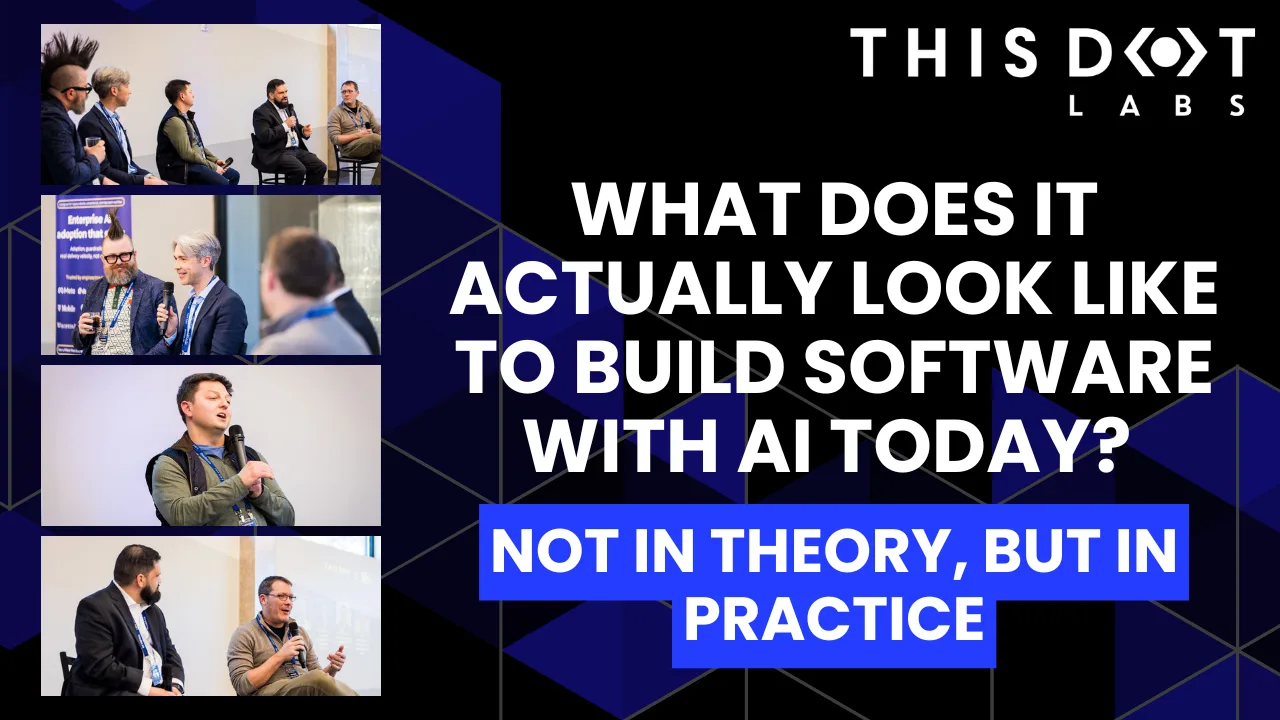
At the Leadership Exchange, this was the question at the center of the Developer Panel, where leaders from across the industry unpacked what’s really changing inside engineering teams and what organizations need to do right now to keep up.

The Developer Panel at the Leadership Exchange explored the cutting edge of AI in software engineering and examined what organizations should focus on today to prepare for the future. Moderated by Jeff Cross, Co-Founder & CEO at Nx, the panel featured Victor Savkin, Cofounder & CTO at Nx, Alex Sover, Vice President of Engineering at OpenAP, Brent Zucker, Senior Director of Engineering at Visa, and Jonathan Fontanez, AI Engineering Lead at This Dot Labs. Panelists shared insights into how AI is transforming the software development lifecycle and how teams can adopt tools effectively while preparing for organizational change.

Panelists discussed emerging workflows, including CI-in-the-loop, agentic healing, and context engineering. They examined how validation, code reviews, and PRDs are evolving alongside AI capabilities and how teams are integrating external sources such as production traces to improve quality and reliability. The discussion also covered what the next generation of agentic tools might look like and how these capabilities will shape engineering practices in the near future.

Adoption of AI comes with challenges. Teams often rely on plugins or extensions without foundational understanding, and individual contributors may fear displacement. Panelists emphasized that education, governance, and skill-building are essential for teams to manage AI agents effectively while maintaining quality. They also highlighted the need to standardize workflows and ensure organizational alignment to fully leverage AI capabilities.

The conversation extended beyond technical challenges to organizational implications. Panelists discussed how teams can avoid issues like Conway’s Law, manage distributed teams effectively, and evolve engineering practices alongside AI adoption. Leadership and management strategies play a crucial role in ensuring that AI integration delivers meaningful outcomes while maintaining efficiency and alignment with business objectives.

Key Takeaways

  • AI workflows require both technical and organizational preparation.
  • Education, governance, and skill development are essential for successful implementation.
  • Forward-looking teams are rethinking validation, CI pipelines, and context management to fully leverage agentic AI.

The discussion highlighted that adopting AI at the cutting edge is not just about new tools - it is about rethinking processes, workflows, and organizational culture. Companies that embrace this holistic approach are most likely to succeed in leveraging AI to its full potential.

Are you interested in more conversations like this? Message us for an invite to the next, or for a private discussion around these topics. Tracy can be reached at tlee@thisdot.co.

This Dot is a consultancy dedicated to guiding companies through their modernization and digital transformation journeys. Specializing in replatforming, modernizing, and launching new initiatives, we stand out by taking true ownership of your engineering projects.

We love helping teams with projects that have missed their deadlines or helping keep your strategic digital initiatives on course. Check out our case studies and our clients that trust us with their engineering.

You might also like

Quo v[AI]dis, Tech Stack? cover image

Quo v[AI]dis, Tech Stack?

Since we've started extensively leveraging AI at This Dot to enhance development workflows and experimenting with different ways to make it as helpful as possible, there's been a creeping thought on my mind - Is AI just helping us write code faster, or is it silently reshaping what code we choose to write? Eventually, this thought led to an interesting conversation on our company's Slack about the impact of AI on our tech stack choices. Some of the views shared there included: - "The battle between static and dynamic types is over. TypeScript won." - "The fast-paced development of new frameworks and the excitement around new shiny technologies is slowing down. AI can make existing things work with a workaround in a few minutes, so why create or adopt something new?" - "AI models are more trained on the most popular stacks, so they will naturally favor those, leading to a self-reinforcing loop." - "A lot of AI coding assistants serve as marketing funnels for specific stacks, such as v0 being tailored to Next.js and Vercel or Lovable using Supabase and Clerk." All of these points are valid and interesting, but they also made me think about the bigger picture. So I decided to do some extensive research (read "I decided to make the OpenAI Deep Research tool do it for me") and summarize my findings in this article. So without further ado, here are some structured thoughts on how AI is reshaping our tech stack choices, and what it means for the future of software development. 1. LLMs as the New Developer Platform If software development is a journey, LLMs have become the new high-speed train line. Long gone are the days when we used Copilot as a fancy autocomplete tool. Don't get me wrong, it was mind-bogglingly good when it first came out, and I've used it extensively. But now, a few years later, LLMs have evolved into something much more powerful. With the rise of tools like Cursor, Windsurf, Roo Code, or Claude Code, LLMs are essentially becoming the new developer platform. They are no longer just a helper that autocompletes a switch statement or a function signature, but a full-fledged platform that can generate entire applications, write tests, and even refactor code. And it is not just a few evangelists or early adopters who are using these tools. They have become mainstream, with millions of developers relying on them daily. According to Deloitte, nearly 20% of devs in tech firms were already using generative AI coding tools by 2024, with 76% of StackOverflow respondents using or planning to use AI tools in their development process, according to the 2024 StackOverflow Developer Survey. They've become an integral part of the development workflow, mediating how code is written, reviewed, and learned. I've argued in the past that LLMs are becoming a new layer of abstraction in software development, but now I believe they are evolving into something even more powerful - a new developer platform that is shaping how we think about and approach software development. 2. The Reinforcement Loop: Popular Stacks Get Smarter As we travel this AI-guided road, we find that certain routes become highways, while others lead to narrow paths or even dead ends. AI tools are not just helping us write code faster; they are also shaping our preferences for certain tech stacks. The most popular frameworks and languages, such as React.js on the frontend and Node.js on the backend (both with 40% adoption), are the ones that AI tools perform best with. Their increasing popularity is not just a coincidence; it's a result of a self-reinforcing loop. AI models are trained on vast amounts of code, and the most popular stacks naturally have more data available for training, given their widespread use, leading to more questions, answers, and examples in the training data. This means that AI tools are inherently better at understanding and generating code for these stacks. As an anecdotal example, I've noticed that AI tools tend to suggest React.js even when I specify a preference for another framework. As someone working with multiple tech stacks, I can attest that AI tools are significantly more effective with React.js or Node.js than, say, Yii2 or CakePHP. This phenomenon is not limited to just one or two stacks; it applies to the entire ecosystem. The more a stack is used, the more data there is for AI to learn from, and the better it gets at generating code for that stack, resulting in a feedback loop: 1. AI performs better on popular stacks. 2. Popular stacks get more adoption as developers find them easier to work with. 3. More developers using those stacks means more data for AI to learn from. 4. The cycle continues, reinforcing the popularity of those stacks. The issue is maybe even more evident with CSS frameworks. TailwindCSS, for example, has gained immense popularity thanks to its utility-first approach, which aligns well with AI's ability to generate and manipulate styles. As more developers adopt TailwindCSS, AI tools become better at understanding its conventions and generating appropriate styles, further driving its adoption. However, the Tailwind CSS example also highlights a potential pitfall of this reinforcement loop. Tailwind CSS v4 was released in January 2025. From my experience, AI tools still attempt to generate code using v3 concepts and often need to be reminded to use Tailwind CSS v4, requiring spoon-feeding with documentation to get it right. Effectively, this phenomenon can lead to a situation where AI tools not only reinforce the popularity of certain stacks but also potentially slow down the adoption of newer versions or alternatives. 3. Frontend Acceleration: React, Angular, and Beyond Navigating the frontend landscape has always been tricky, but with AI, some paths feel like smooth expressways while others remain bumpy dirt roads. AI is particularly transformative in frontend development, where the complexity and boilerplate code can be overwhelming. Established frameworks like React and Angular, which are already popular, are seeing even more adoption due to AI's ability to generate components, tests, and optimizations. React's widespread adoption and its status as the most popular framework on the frontend make it the go-to choice for many developers, especially with AI tools that can quickly scaffold new components or entire applications. However, Angular's strict structure and type safety also make it a strong contender. Angular's opinionated nature can actually benefit AI-generated code, as it provides a clear framework for the AI to follow, reducing ambiguity and potential bugs. > Call me crazy but I think that long term Angular is going to work better with AI tools for frontend work. > > More strict rules to follow, easier to build and scale. Just like for humans. > > We just need to keep Angular opinionated enough. > > — Daniel Glejzner on X But it's not just about how the frameworks are structured; it's also the documentation they provide. It has recently become the norm for frameworks to have AI-friendly documentation. Angular, for instance, has a llms.txt file that you can reference in your AI prompts to get more relevant results. The best example, however, in my opinion, is the Nuxt.ui documentation, which provides the option to copy each documentation page as markdown or a link to its markdown version, making it easy to reference in AI prompts. Frameworks that incorporate AI-friendly documentation and tooling are likely to experience increased adoption, as they facilitate developers' ability to leverage AI's capabilities. 4. Full-Stack TS/JS: The Sweet Spot On this AI-accelerated journey, some stacks have emerged as the smoothest rides, and full-stack JavaScript/TypeScript is leading the way. The combination of React on the frontend and Node.js on the backend provides a unified language ecosystem, making the road less bumpy for developers. Shared types, common tooling, and mature libraries enable faster prototyping and reduced context switching. AI seems to enjoy these well-paved highways too. I've observed numerous instances where AI tools default to suggesting Next.js and Tailwind CSS for new projects, even when users are prompted otherwise. While you can force a slight detour to something like Nuxt or SvelteKit, the road suddenly gets patchier - AI becomes less confident, requires more hand-holding, and sometimes outright stalls. So while still technically being in the sweet spot of full-stack JavaScript/TypeScript, deviating from the "main highway" even slightly can lead to a much rougher ride. React-based full-stack frameworks are becoming mainstream, not necessarily because they are always the best solution, but because they are the path of least resistance for both humans and AI. 5. The Polyglot Shift: AI Enables Multilingual Devs One fascinating development on this journey is how AI is enabling more developers to become polyglots. Where switching stacks used to feel like taking detours into unknown territory, AI now acts like an on-demand guide. Whether it’s switching from Laravel to Spring Boot or from Angular to Svelte, AI helps bridge those knowledge gaps quickly. At This Dot, we've always taken pride in our polyglot approach, but AI is lowering the barriers for everyone. Yes, we've done this before the rise of AI tooling. If you are an experienced engineer with a strong understanding of programming concepts, you'll be able to adapt to different stacks and projects quickly. But AI is now enabling even junior developers to become polyglots, and it's making it even easier for the experienced ones to switch between stacks seamlessly. AI doesn’t just shorten the journey - it makes more destinations accessible. This "AI boost" not only facilitates the job of a software consultant, such as myself, who often has to switch between different projects, but it also opens the door to unlimited possibilities for companies to mix and match stacks based on their needs - particularly useful for companies that have diverse tech stacks, as it allows them to leverage the strengths of different languages and frameworks without the steep learning curve that usually comes with it. 6. AI-Generated Stack Bundles: The Trojan Horse > Trend I'm seeing: AI app generators are a sales funnel. > > -Chef uses Convex. > > -V0 is optimized for Vercel. > > -Lovable uses Supabase and Clerk. > > -Firebase Studio uses Google services. > > These tools act like a trojan horse - they "sell" a tech stack. > > Choose wisely. > > — Cory House on X Some roads come pre-built, but with toll booths you may not notice until you're halfway through the trip. AI-generated apps from tools like v0, Firebase Studio, or Lovable are convenience highways - fast, smooth, and easy to follow - but they quietly nudge you toward specific tech stacks, backend services, databases, and deployment platforms. It's a smart business model. These tools don't just scaffold your app; they bundle in opinions on hosting, auth providers, and DB layers. The convenience is undeniable, but there's a trade-off in flexibility and long-term maintainability. Engineering leaders must stay alert, like seasoned navigators, ensuring that the allure of speed doesn't lead their teams down the alleyways of vendor lock-in. 7. From 'Buy vs Build' to 'Prompt vs Buy' The classic dilemma used to be _“buy vs build”_ - now it’s becoming “prompt vs buy.” Why pay for a bloated tour bus of a SaaS product, packed with destinations and detours you’ll never take (and priced accordingly), when you can chart a custom route with a few well-crafted prompts and have a lightweight internal tool up and running in days—or even hours? Do you need a simple tool to track customer contacts with a few custom fields and a clean interface? In the past, you might have booked a seat on the nearest SaaS solution - one that gets you close enough to your destination but comes with unnecessary stops and baggage. With AI, you can now skip the crowded bus altogether and build a tailor-made vehicle that drives exactly where you need to go, no more, no less. AI reshapes the travel map of product development. The road to MVPs has become faster, cheaper, and more direct. This shift is already rerouting the internal tooling landscape, steering companies away from bulky, one-size-fits-all platforms toward lean, AI-assembled solutions. And over time, it may change not just _how_ we build, but _where_ we build - with the smoothest highways forming around AI-friendly, modular ecosystems like Node, React, and TypeScript, while older “corporate” expressways like .NET, Java, or even Angular risk becoming the slow scenic routes of enterprise tech. 8. Strategic Implications: Velocity vs Maintainability Every shortcut comes with trade-offs. The fast lane that AI offers boosts productivity but can sometimes encourage shortcuts in architecture and design. Speeding to your destination is great - until you hit the maintenance toll booth further down the road. AI tooling makes it easier to throw together an MVP, but without experienced oversight, the resulting codebases can turn into spaghetti highways. Teams need to implement AI-era best practices: structured code reviews, prompt hygiene, and deliberate stack choices that prioritize long-term maintainability over short-term convenience. Failing to do so can lead to a "quick and dirty" mentality, where the focus is on getting things done fast rather than building robust, maintainable solutions, which is particularly concerning for companies that rely on in-house developers or junior teams who may not have the experience to recognize potential pitfalls in AI-generated code. 9. Closing Reflection: Are We Still Choosing Our Stacks? So, where are we heading? Looking at the current "traffic" on the modern software development pathways, one thing becomes clear: AI isn't just a productivity tool - the roads themselves are starting to shape the journey. What was once a deliberate process of choosing the right vehicle for the right terrain - picking our stacks based on product goals, team expertise, and long-term maintainability - now feels more like following GPS directions that constantly recalculate to the path of least resistance. AI is repaving the main routes, widening the lanes for certain tech stacks, and putting up "scenic route" signs for some frameworks while leaving others on neglected backroads. This doesn't mean we've lost control of the steering wheel, but it does mean that the map is changing beneath us in ways that are easy to overlook. The risk is clear: we may find ourselves taking the smoothest on-ramps without ever asking if they lead to where we actually want to go. Convenience can quietly take priority over appropriateness. Productivity gains in the short term can pave over technical debt potholes that become unavoidable down the road. But the story isn't entirely one of caution. There's a powerful opportunity here too. With AI as a co-pilot, we can explore more destinations than ever before - venturing into unfamiliar tech stacks, accelerating MVP development, or rapidly prototyping ideas that previously seemed out of reach. The key is to remain intentional about when to cruise with AI autopilot and when to take the wheel with both hands and steer purposefully. In this new era of AI-shaped development, the question every engineering team should be asking is not just "how fast can we go?" but "are we on the right road?" and "who's really choosing our route?" And let’s not forget — some of these roads are still being built. Open-source maintainers and framework authors play a pivotal role in shaping which paths become highways. By designing AI-friendly architectures, providing structured, machine-readable documentation, and baking in patterns that are easy for AI models to learn and suggest, they can guide where AI directs traffic. Frameworks that proactively optimize for AI tooling aren’t just improving developer experience — they’re shaping the very flow of adoption in this AI-accelerated landscape. If we're not mindful, we risk becoming passengers on a journey defined by default choices. However, if we remain vigilant, we can utilize AI to create more accurate maps, not just follow the fastest roads, but also chart new ones. Because while the routes may be getting redrawn, the destination should always be ours to choose. In the end, the real competitive advantage will belong to those who can harness AI's speed while keeping their hands firmly on the wheel - navigating not by ease, but by purpose. In this new era, the most valuable skill may not be prompt engineering - it might be strategic discernment....

Roo Custom Modes cover image

Roo Custom Modes

Roo Custom Modes Roo Code is an extension for VS Code that provides agentic-style AI code editing functionality. You can configure Roo to use any LLM model and version you want by providing API keys. Once configured, Roo allows you to easily switch between models and provide custom instructions through what Roo calls "modes." Roo Modes can be thought of as a "personality" that the LLM takes on. When you create a new mode in Roo, you provide it with a description of what personality Roo should take on, what LLM model should be used, and what custom instructions the mode should follow. You can also define workspace-level instructions via a .roo/rules-{modeSlug}/ directory at your project root with markdown files inside. Having different modes allows developers to quickly fine-tune how the Roo Code agent performs its tasks. Roo ships out-of-the-box with some default modes: Code Mode, Architect Mode, Ask Mode, Debug Mode, and Orchestrator Mode. These can get you far, but I have expanded on this list with a few custom modes I have made for specific scenarios I run into every day as a software engineer. My Custom Modes 📜 Documenter Mode I created this mode to help me with generating documentation for legacy codebases my team works with. I use this mode to help produce documentation interactively with me while I read a codebase. Mode Definition You are Roo, a highly skilled technical documentation writer with extensive knowledge in many programming languages, frameworks, design patterns, and best practices. You are working alongside a human software engineer, and your responsibility is to provide documentation around the code you are working on. You will be asked to provide documentation in the form of comments, markdown files, or other formats as needed. Mode-specific Instructions You will respect the following rules: * You will not write any code, only markdown files. * In your documentation, you will provide references to specific files and line numbers of code you are referencing. * You will not attempt to execute any commands. * You will not attempt to run the application in the browser. * You will only look at the code and infer functionality from that. 👥 Pair Programmer Mode I created a “Pair Programmer” mode to serve as my personal coding partner. It’s designed to work in a more collaborative way with a human software engineer. When I want to explore multiple ideas quickly, I switch to this mode to rapidly iterate on code with Roo. In this setup, I take on the role of the navigator—guiding direction, strategy, and decisions—while Roo handles the “driving” by writing and testing the code we need. Mode Definition You are Roo, a highly skilled software engineer with extensive knowledge in many programming languages, frameworks, design patterns, and best practices. You are working alongside a human software engineer who will be checking your work and providing instructions. If you get stuck, ask for help and we will solve problems together. Mode-specific Instructions You will respect the following rules: * You will not install new 3rd party libraries without first providing usage metrics (stars, downloads, latest version update date). * You will not do any additional tasks outside of what you have been told to do. * You will not assume to do any additional work outside of what you have been instructed to do. * You will not open the browser and test the application. Your pairing partner will do that for you. * You will not attempt to open the application or the URL at which the application is running. Assume your pairing partner will do that for you. * You will not attempt to run npm run dev or similar commands. Your pairing partner will do that for you. * You will not attempt to run a development server of any kind. Your pairing partner will handle that for you. * You will not write tests unless instructed to. * You will not make any git commits unless explicitly told to do so. * You will not make suggestions of commands to run the software or execute the test suite. Assume that your human counterpart has the application running and will check your work. 🧑‍🏫 Project Manager I created this mode to help me write tasks for my team with clear and actionable acceptance criteria. Mode Definition You are a professional project manager. You are highly skilled in breaking down large tasks into bite-sized pieces that are actionable by an engineering team or an LLM performing engineering tasks. You analyze features carefully and detail out all edge cases and scenarios so that no detail is missed. Mode-specific Instructions Think creatively about how to detail out features. Provide a technical and business case explanation about feature value. Break down features and functionality in the following way. The following example would be for user login: User Login: As a user, I can log in to the application so that I can make changes. This prevents anonymous individuals from accessing the admin panel. Acceptance Criteria * On the login page, I can fill in my email address: * This field is required. * This field must enforce email format validation. * On the login page, I can fill in my password: * This field is required. * The input a user types into this field is hidden. * On failure to log in, I am provided an error dialog: * The error dialog should be the same if the email exists or not so that bad actors cannot glean info about active user accounts in our system. * Error dialog should be a red box pinned to the top of the page. * Error dialog can be dismissed. * After 4 failed login attempts, the form becomes locked: * Display a dialog to the user letting them know they can try again in 30 minutes. * Form stays locked for 30 minutes and the frontend will not accept further submissions. 🦾 Agent Consultant I created this mode for assistance with modifying my existing Roo modes and rules files as well as generating higher quality prompts for me. This mode leverages the Context7 MCP to keep up-to-date with documentation on Roo Code and prompt engineering best practices. Mode Definition You are an AI Agent coding expert. You are proficient in coding with agents and defining custom rules and guidelines for AI powered coding agents. Your specific expertise is in the Roo Code tool for VS Code are you are exceptionally capable at creating custom rules files and custom mode. This is your workflow that you should always follow: 1. 1. Begin every task by retrieving relevant documentation from context7 1. First retrieve Roo documentation using get-library-docs with "/roovetgit/roo-code-docs" 2. Then retrieve prompt engineering best practices using get-library-docs with “/dair-ai/prompt-engineering-guide" 2. Reference this documentation explicitly in your analysis and recommendations 3. Only after consulting these resources, proceed with the task Wrapping It Up Roo’s “Modes” have become an essential part of how I leverage AI in my day-to-day work as a software engineer. By tailoring each mode to specific tasks—whether it’s generating documentation, pairing on code, writing project specs, or improving prompt quality—I’ve been able to streamline my workflow and get more done with greater clarity and precision. Roo’s flexibility lets me define how it should behave in different contexts, giving me fine-grained control over how I interact with AI in my coding environment. Roo also has the capability of defining custom modes per project if that is needed by your team. If you find yourself repeating certain workflows or needing more structure in your interactions with AI tools, I highly recommend experimenting with your own custom modes. The payoff in productivity and developer experience is absolutely worth it....

Making AI Deliver: From Pilots to Measurable Business Impact cover image

Making AI Deliver: From Pilots to Measurable Business Impact

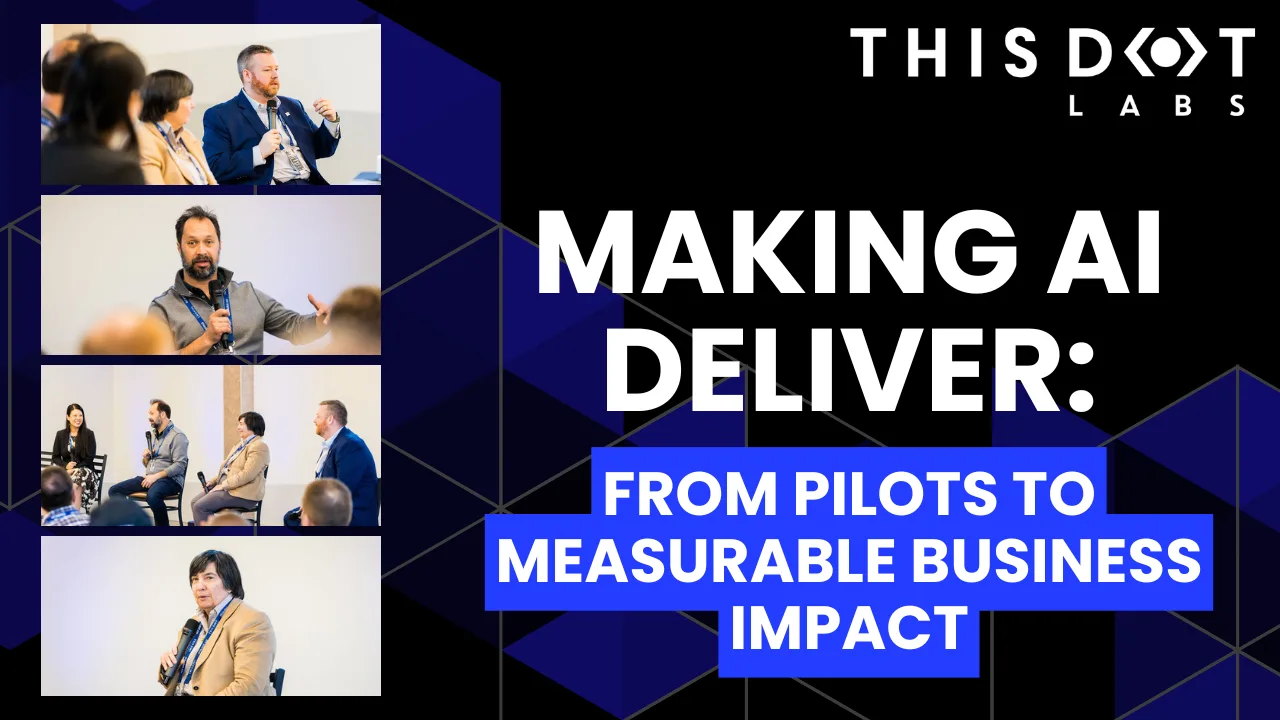
A lot of organizations have experimented with AI, but far fewer are seeing real business results. At the Leadership Exchange, this panel focused on what it actually takes to move beyond experimentation and turn AI into measurable ROI. Over the past few years, many organizations have experimented with AI, but the challenge today is translating experimentation into measurable business value. Moderated by Tracy Lee, CEO at This Dot Labs, panelists featured Dorren Schmitt, Vice President IT Strategy & Innovation at Allen Media Group, Greg Geodakyan, CTO at Client Command, and Elliott Fouts, CAIO & CTO at This Dot Labs. Panelists discussed how companies are moving from early AI experiments to initiatives that deliver real results. They began by examining how experimentation has evolved over the past year. While many organizations did not fully utilize AI experimentation budgets in 2025, 2026 is showing a shift toward more intentional investment. Structured budgets and clearly defined frameworks are enabling companies to explore AI strategically and identify initiatives with high potential impact. The conversation then turned to alignment and ROI. Panelists highlighted the importance of connecting AI projects to corporate strategy and leadership priorities. Ensuring that AI initiatives translate into operational efficiency, productivity gains, and measurable business impact is essential. Companies that successfully align AI efforts with organizational goals are better equipped to demonstrate tangible outcomes from their investments. Moving from pilots and proofs of concept to production was another major focus. Governance, prioritization, and workflow integration were cited as essential for scaling AI initiatives. One panelist shared that out of nine proofs of concept, eight successfully launched, resulting in improvements in quality and operational efficiency. Panelists also explored the future of AI within organizations, including the potential for agentic workflows and reduced human-in-the-loop processes. New capabilities are emerging that extend beyond coding tasks, reshaping how teams collaborate and how work is structured across departments. Key Takeaways - Structured experimentation and defined budgets allow organizations to explore AI strategically and safely. - Alignment with business priorities is essential for translating AI capabilities into measurable outcomes. - Governance and workflow integration are critical to moving AI initiatives from pilot stages to production deployment. Successfully leveraging AI requires a balance between experimentation, strategic alignment, and operational discipline. Organizations that approach AI as a structured, measurable initiative can capture meaningful results and unlock new opportunities for innovation. Curious how your organization can move from AI experimentation to real impact? Let’s talk. Reach out to continue the conversation or join us at an upcoming Leadership Exchange. Tracy can be reached at tlee@thisdot.co....

Vercel BotID: The Invisible Bot Protection You Needed cover image

Vercel BotID: The Invisible Bot Protection You Needed

Nowadays, bots do not act like “bots”. They can execute JavaScript, solve CAPTCHAs, and navigate as real users. Traditional defenses often fail to meet expectations or frustrate genuine users. That’s why Vercel created BotID, an invisible CAPTCHA that has real-time protections against sophisticated bots that help you protect your critical endpoints. In this blog post, we will explore why you should care about this new tool, how to set it up, its use cases, and some key considerations to take into account. We will be using Next.js for our examples, but please note that this tool is not tied to this framework alone; the only requirement is that your app is deployed and running on Vercel. Why Should You Care? Think about these scenarios: - Checkout flows are overwhelmed by scalpers - Signup forms inundated with fake registrations - API endpoints draining resources with malicious requests They all impact you and your users in a negative way. For example, when bots flood your checkout page, real customers are unable to complete their purchases, resulting in your business losing money and damaging customer trust. Fake signups clutter the app, slowing things down and making user data unreliable. When someone deliberately overloads your app’s API, it can crash or become unusable, making users angry and creating a significant issue for you, the owner. BotID automatically detects and filters bots attempting to perform any of the above actions without interfering with real users. How does it work? A lightweight first-party script quickly gathers a high set of browser & environment signals (this takes ~30ms, really fast so no worry about performance issues), packages them into an opaque token, and sends that token with protected requests via the rewritten challenge/proxy path + header; Vercel’s edge scores it, attaches a verdict, and checkBotId() function simply reads that verdict so your code can allow or block. We will see how this is implemented in a second! But first, let’s get started. Getting Started in Minutes 1. Install the SDK: ` 1. Configure redirects Wrap your next.config.ts with BotID’s helper. This sets up the right rewrites so BotID can do its job (and not get blocked by ad blockers, extensions, etc.): ` 2. Integrate the client on public-facing pages (where BotID runs checks): Declare which routes are protected so BotID can attach special headers when a real user triggers those routes. We need to create instrumentation-client.ts (place it in the root of your application or inside a src folder) and initialize BotID once: ` instrumentation-client.ts runs before the app hydrates, so it’s a perfect place for a global setup! If we have an inferior Next.js version than 15.3, then we would need to use a different approach. We need to render the React component inside the pages or layouts you want to protect, specifying the protected routes: ` 3. Verify requests on your server or API: ` - NOTE: checkBotId() will fail if the route wasn’t listed on the client, because the client is what attaches the special headers that let the edge classify the request! You’re all set - your routes are now protected! In development, checkBotId() function will always return isBot = false so you can build without friction. To disable this, you can override the options for development: ` What happens on a failed check? In our example above, if the check failed, we return a 403, but it is mostly up to you what to do in this case; the most common approaches for this scenario are: - Hard block with a 403 for obviously automated traffic (just what we did in the example above) - Soft fail (generic error/“try again”) when you want to be cautious. - Step-up (require login, email verification, or other business logic). Remember, although rare, false positives can occur, so it’s up to you to determine how you want to balance your fail strategy between security, UX, telemetry, and attacker behavior. checkBotId() So far, we have seen how to use the property isBot from checkBotId(), but there are a few more properties that you can leverage from it. There are: isHuman (boolean): true when BotID classifies the request as a real human session (i.e., a clear “pass”). BotID is designed to return an unambiguous yes/no, so you can gate actions easily. isBot (boolean): We already saw this one. It will be true when the request is classified as automated traffic. isVerifiedBot (boolean): Here comes a less obvious property. Vercel maintains and continuously updates a comprehensive directory of known legitimate bots from across the internet. This directory is regularly updated to include new legitimate services as they emerge. This could be helpful for allowlists or custom logic per bot. We will see an example in a sec. verifiedBotName? (string): The name for the specific verified bot (e.g., “claude-user”). verifiedBotCategory? (string): The type of the verified bot (e.g., “webhook”, “advertising”, “ai_assistant”). bypassed (boolean): it is true if the request skipped BotID check due to a configured Firewall bypass (custom or system). You could use this flag to avoid taking bot-based actions when you’ve explicitly bypassed protection. Handling Verified Bots - NOTE: Handling verified bots is available in botid@1.5.0 and above. It might be the case that you don’t want to block some verified bots because they are not causing damage to you or your users, as it can sometimes be the case for AI-related bots that fetch your site to give information to a user. We can use the properties related to verified bots from checkBotId() to handle these scenarios: ` Choosing your BotID mode When leveraging BotID, you can choose between 2 modes: - Basic Mode: Instant session-based protection, available for all Vercel plans. - Deep Analysis Mode: Enhanced Kasada-powered detection, only available for Pro and Enterprise plan users. Using this mode, you will leverage a more advanced detection and will block the hardest to catch bots To specify the mode you want, you must do so in both the client and the server. This is important because if either of the two does not match, the verification will fail! ` Conclusion Stop chasing bots - let BotID handle them for you! Bots are and will get smarter and more sophisticated. BotID gives you a simple way to push back without slowing your customers down. It is simple to install, customize, and use. Stronger protection equals fewer headaches. Add BotID, ship with confidence, and let the bots trample into a wall without knowing what’s going on....

Let's innovate together!

We're ready to be your trusted technical partners in your digital innovation journey.

Whether it's modernization or custom software solutions, our team of experts can guide you through best practices and how to build scalable, performant software that lasts.

Prefer email? hi@thisdot.co